Workplace / GUIDE 03
Interior Design Shenzhen: Hybrid Meeting Rooms
Design Shenzhen meeting rooms for in-person and remote participants, balancing camera views, acoustics, lighting, furniture and simple controls.
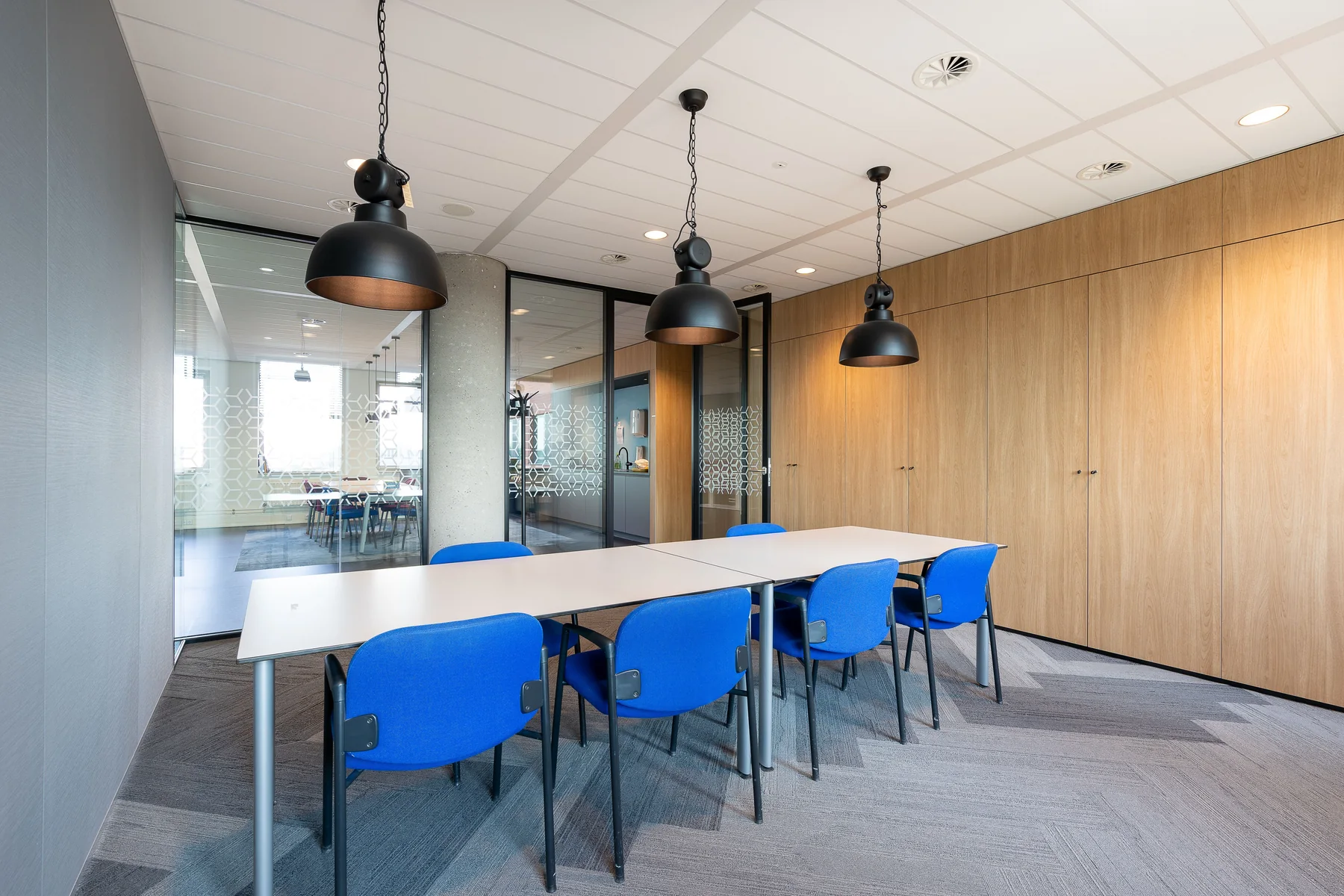
The essential idea
A good hybrid meeting room lets people in the room and on screen see, hear and contribute comfortably. Choose the meeting format first, then coordinate seating, displays, cameras, microphones, lighting and room acoustics.
A meeting room can look complete while remaining frustrating to use. Remote participants may see only the nearest faces, a bright window may obscure the presenter or staff may spend the first minutes locating the right cable. In an Interior Design Shenzhen workplace project, hybrid meeting rooms deserve their own brief. Treating technology as a final accessory makes these problems harder to resolve.
Distinguish the meetings the room must support
List the activities the room will host. A client presentation, a working session around a drawing and a video interview require different sightlines and furniture. Record the likely group size, whether people share physical material and how often remote attendees join. Include a realistic maximum rather than designing only for an empty-room image.
A larger table is not automatically more versatile. It can move participants too far from a display or make the camera view less useful. Compare table shapes and seating positions with the intended equipment. The room should support the main activity well before it is asked to accommodate every possible occasion.
Check the view from every seat
Draw sightlines to displays, whiteboards and the presenter. Review both the in-person experience and the camera frame. Participants should not have to lean around one another to appear on screen, and a presenter should be able to refer to shared material without turning away for the whole meeting.
Test with the proposed camera and screen arrangement rather than relying on a generic symbol on the plan. A mock-up can use temporary furniture and the intended equipment. Ask a remote colleague to join the test, because the experience seen through the camera can differ significantly from what feels comfortable in the room.
Coordinate light with faces and displays
Daylight can make a room pleasant, but uncontrolled contrast can make a video call difficult. Identify when direct light reaches the room and how blinds will be operated. Consider the position of faces relative to windows and light fittings. Review the screen for reflected light from several seats.
Plan lighting scenes around use: arrival, discussion, presentation and cleaning. Keep controls understandable. A room that needs several separate adjustments before each meeting is less convenient than one with a clear default. Ask the lighting and audiovisual specialists to test the combined effect of dimming, camera settings and display brightness.
Treat room sound as a coordinated issue
Soft finishes can reduce excessive reverberation, but they do not automatically stop speech passing to adjacent rooms. Sound within a room and sound transmitted outside it are different questions. Discuss both with the appointed acoustic consultant where the project requires specialist input.
Microphone pickup, loudspeaker positions, doors, partition junctions and ventilation noise can interact. The GSA overview of indoor environmental quality describes absorption, blocking and masking as distinct approaches to managing workplace sound. Use those distinctions as a starting point, then define criteria for the actual room.
Make joining and leaving straightforward
Confirm the company's meeting platforms, guest connection requirements and support arrangements. Label connections clearly and provide cable management that can be accessed for replacement. Avoid placing equipment behind fixed joinery without a practical service route.
Agree what happens after a meeting. Controls should return to a useful default, furniture should remain in a workable arrangement and accessories should have a home. Room booking labels should describe capacity and available equipment accurately. Clear operating information prevents a technically capable room from becoming a source of daily confusion.
Test before handover
- Join a call from each normal seating position.
- Check shared documents from the furthest seat.
- Review camera framing with a fully occupied table.
- Listen for echoes, background noise and speech outside the room.
- Test a guest laptop and the usual corporate devices.
- Ask a first-time user to start a meeting without coaching.
Keep a short record of the setup and agreed changes. A successful test should include the facilities or IT team that will support the room after occupation. Their involvement connects the design intent with day-to-day reliability.
Common questions
Can a small room support hybrid meetings?
Yes, if its layout and equipment suit a small group. Test the camera field of view, display visibility and ventilation requirements rather than judging suitability from floor area alone.
Are acoustic panels enough to create privacy?
Not necessarily. Panels mainly address sound within the room. Privacy also depends on partitions, doors, glazing, junctions and service paths, so the complete assembly needs review.